Outline and template masks
Generate artwork for shaped surfaces such as firearm slides, plates, tags, and custom product outlines while preserving cutouts and negative areas.
 Core-X AI Studio
Use an outline, template, product image, or reference image to create a separate transparent engraving overlay or a baked placement proof. The builder preserves the usable shape and helps keep artwork within its edges.
Open Image Overlay Builder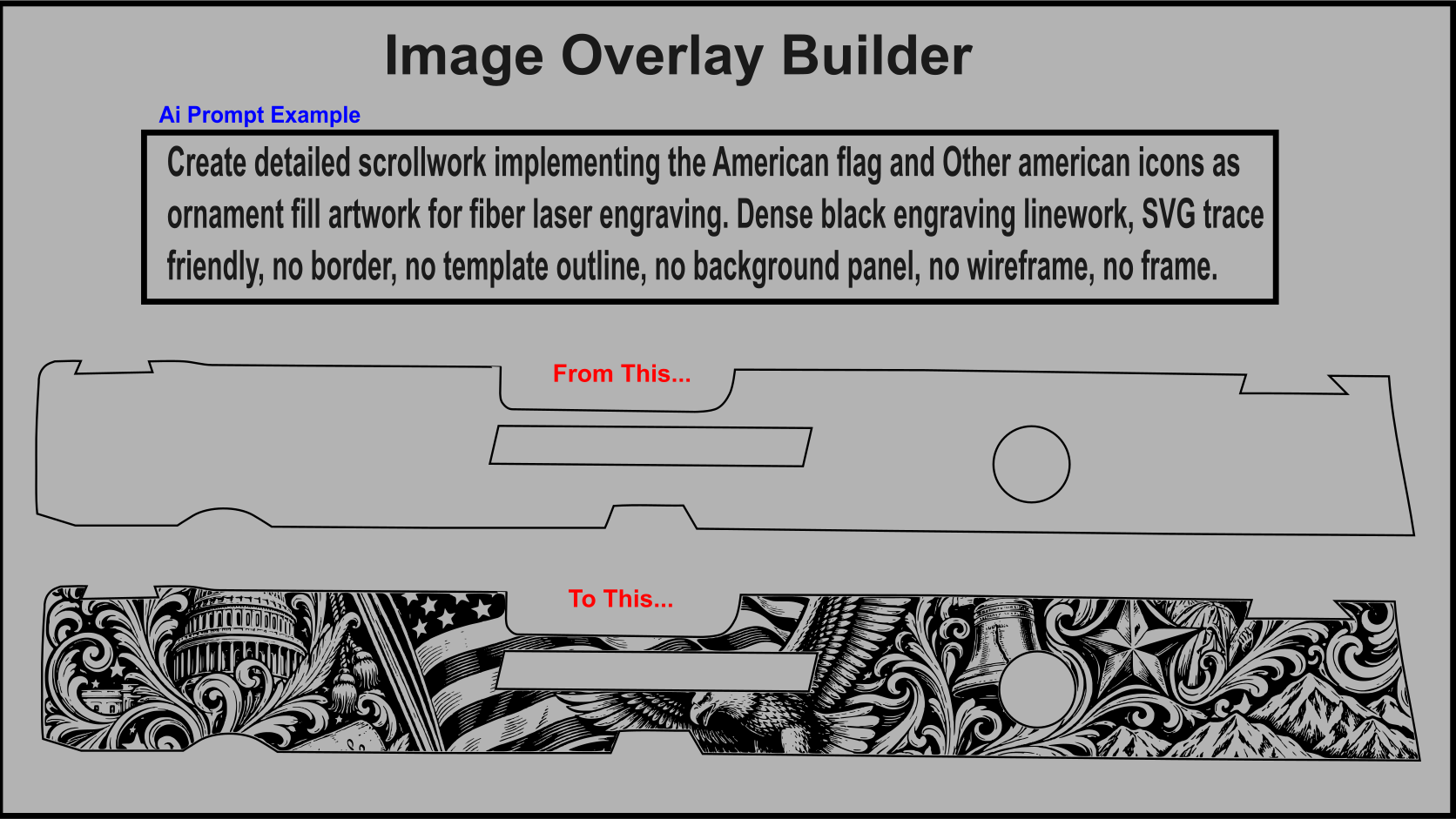
Generate artwork for shaped surfaces such as firearm slides, plates, tags, and custom product outlines while preserving cutouts and negative areas.
Choose a transparent layer for production or combine the layer with the guide image for a customer-facing placement preview.
Add supporting inspiration images or logos separately so the builder can use them as visual references without confusing them with the placement guide.